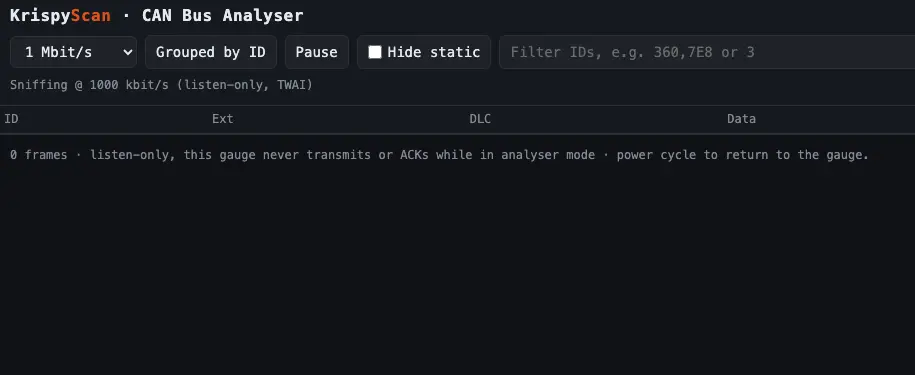
KrispyScan turns your KrispyGauge into a CAN bus analyser. It shows the live traffic on your car's CAN bus in your web browser, so you can see what's being sent, filter it down, and export a log — handy for diagnosing wiring problems or working out what a device is broadcasting.
Starting KrispyScan
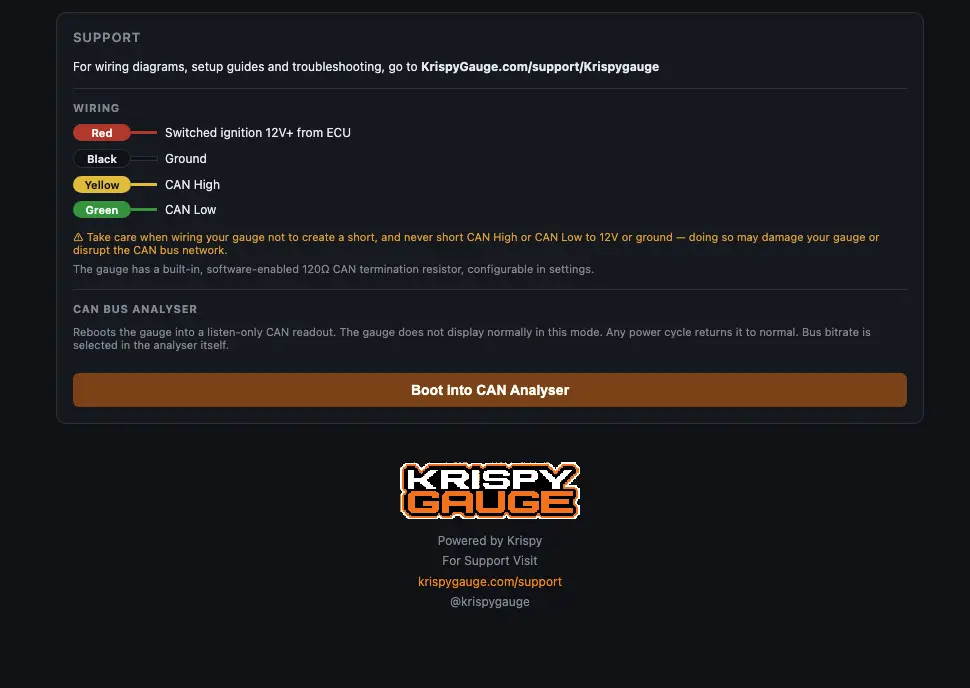
- Connect to the gauge's Web UI — at
http://4.3.2.1on its hotspot, or better, join the gauge to your WiFi network and open the IP address it shows. - Go to Support → Boot into Can Analyser.
- Wait 5–10 seconds, then refresh the page. The CAN analyser opens.
What you can do
- Change the bus speed to match your CAN bus.
- Group messages by ID, and hide IDs that aren't changing to spot what's active.
- Filter IDs to focus on one device.
- Start and pause logging, clear the log, and export it as a CSV file.
- Boot back into gauge mode when you're done.
Keep logs short
The log streams to your browser, so long logs make CSV files too large to export. Keep each capture short — ideally under 10–20 seconds — and pause before you export.
Ideas for this feature? Email [email protected].